Bring your drone into the workspace.
Connect an ArduPilot or PX4 aircraft through a supported link. Read live aircraft status and review the configuration reported by the flight controller.
 INTELLIGENCE
SARUMANOS · GROUND CONTROL / AI / SIMULATION
An advanced, easy-to-use ground-station app for manual drone operations, aircraft setup, and mission planning. Connect compatible ArduPilot and PX4 drones, including aircraft beyond Sauron, and bring control and flight information into one workspace. Use the custom simulation system to rehearse missions with supported virtual aircraft.
01 / GROUND STATION
Use SarumanOS as your everyday ground station. Connect a compatible drone, work with its configuration, plan missions, and manage supported flight commands directly. ArduPilot and PX4 support makes the workspace useful beyond a single aircraft brand.
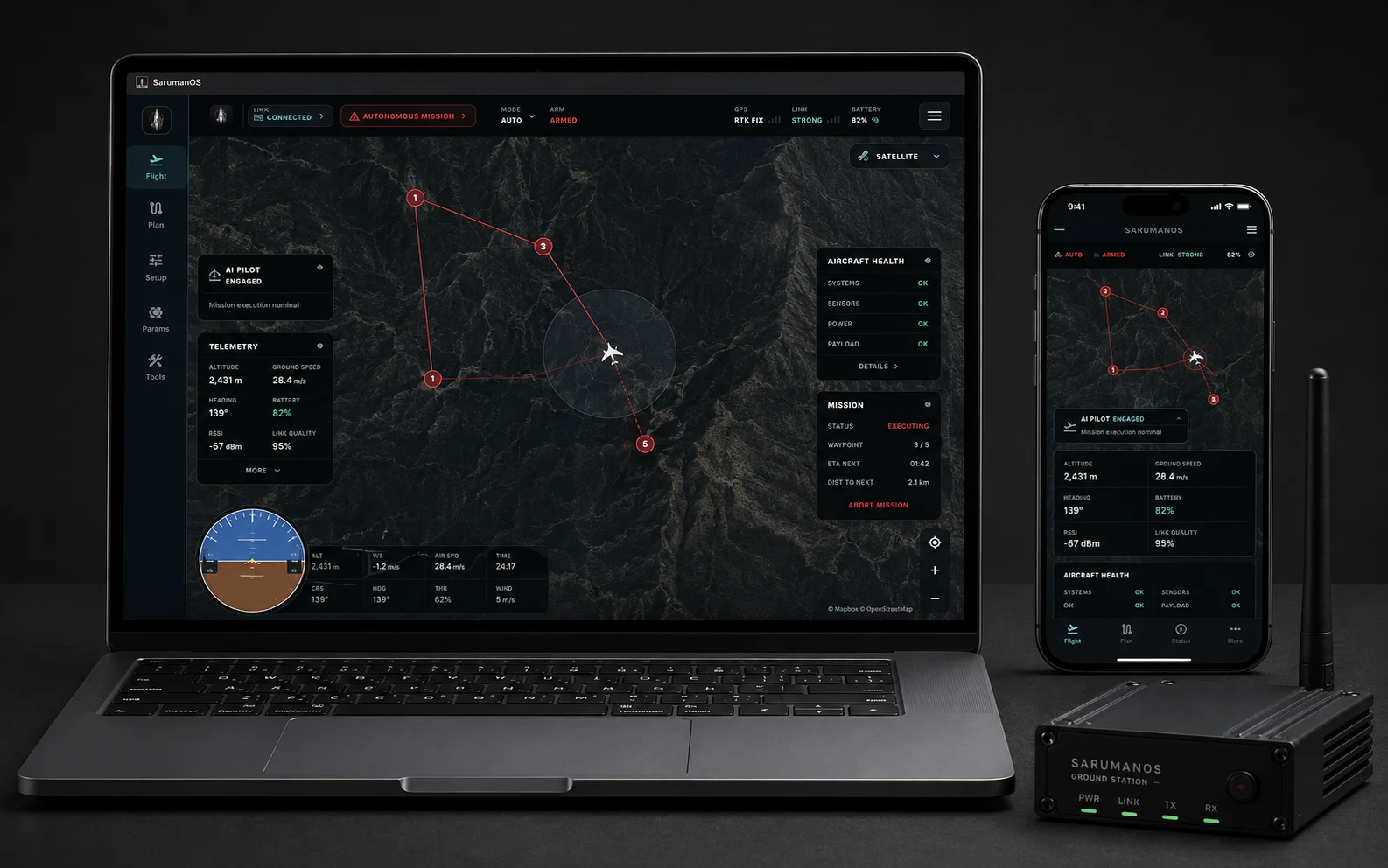
Laptop mission station · Mobile field companion
Connect an ArduPilot or PX4 aircraft through a supported link. Read live aircraft status and review the configuration reported by the flight controller.
Review aircraft parameters, place waypoints, and prepare a route on the map. Keep configuration and mission planning together, with clear information at each step.
Monitor position, altitude, battery, and connection status. Send flight commands and select supported modes yourself, with live feedback from the aircraft.
02 / AI PILOT & ONBOARD AUTONOMY
AI Pilot pairs SarumanOS mission planning with onboard autonomy hardware running directly on the airframe. Connect high-level operator intent with real-time neural flight execution, obstacle awareness, and deterministic failsafes.
Below, explore Dolphin V1’s onboard autonomy architecture: NVIDIA Jetson edge AI processing, GPS-denied visual-inertial odometry, and Pixhawk 6C autopilot coordination with tandem elevon attitude control.
NVIDIA Jetson AI compute · Pixhawk 6C autopilot · GPS-denied visual-inertial flow
NVIDIA Jetson autonomy engine executes real-time neural flight models, perception pipelines, and dynamic trajectory adjustments directly on the airframe.
High-framerate optical flow and integrated IMU arrays maintain sub-meter positional lock and terrain reference even in GPS-denied environments.
Pixhawk 6C autopilot coordinates dual GNSS and failsafes, driving responsive tandem aileron and elevon surfaces through every flight phase.
03 / CUSTOM SIMULATION
SarumanOS brings virtual aircraft testing into the same workspace you use for ground control and AI Pilot. Launch a supported aircraft model, rehearse flight commands and missions, and follow its response through telemetry and a live 3D view.
Our custom simulation workflow connects the aircraft, environment, camera view, and test scenarios so you can review a mission, repeat a test, and refine your setup before moving to a physical aircraft.
22-second simulation walkthrough · Silent
Select from the available VTOL, flying-wing, and V-tail aircraft models. Choose the simulation environment and prepare the mission you want to test.
Work in the normal Flight, Setup, and AI Pilot screens. Review mission execution, aircraft telemetry, and the live 3D scene, with onboard camera views available in supported setups.
Use simulation test scenarios to explore decision and recovery paths, including low-battery, weak-link, and missing-position inputs. Review the response, reset the scenario, and run the next test.
IN THE SARUMANOS APP
Local simulation requires a compatible desktop runtime. The launcher checks its components and provides setup guidance when something is missing.
Go to Tools → Simulation, or use Sim in AI Pilot.
Select a supported aircraft model and environment, then launch the simulator.
Prepare a mission, confirm the proposed actions, and observe the simulated aircraft’s feedback.
04 / DESKTOP DOWNLOADS & APP STORES
SarumanOS is distributed through official application stores for verified security and seamless automated updates. Get the app directly on your desktop.
MACOS
MAC APP STOREFor Apple Silicon Macs
Direct installation and background updates from Apple.
WINDOWS
MICROSOFT STOREFor Windows 10 & 11 PCs
Verified application package from Microsoft Store.
LINUX
DEB PACKAGEFor Ubuntu computers
Standalone Debian package for native ground station rigs.
05 / OFFICIAL APP STORES
SarumanOS is distributed through official app stores. Built-in system sandboxing, frictionless installation, and automated background updates.
Install directly from Apple or Microsoft to receive verified application builds, or download standalone packages for Linux operations.
APPLE MAC APP STORE
Optimized for macOS 12+ and Apple Silicon. One-click install and continuous updates.
Open Mac App StoreMICROSOFT STORE
Engineered for Windows 10 & 11 PCs. Certified by Microsoft with instant installation.
Open Microsoft StoreOpen the Mac App Store or Microsoft Store listing.
Download through your verified platform account.
Receive official feature releases and security patches automatically.